



![Why Do My Etsy Mockups Look Like Everyone Else’s? [2026 Fix]](https://dynamicmockups.com/wp-content/uploads/2026/08/etsy-mockups-look-the-same-cover-768x403.png) Etsy
Etsy
On this page
How Many Etsy Listing Photos Can You Add?
Etsy listings now hold up to 20 photos, doubled from the old cap of 10. That is twice the room to sell your product, and most shops are leaving half of it empty.
The jump from 10 to 20 is the biggest photo change Etsy has made in years, and Etsy now allows up to 20 images on every listing. It landed quietly, so plenty of sellers still stop at 10 out of habit.
In 2026, a full 20-photo listing is fast becoming what shoppers expect, not a nice-to-have.
Here is the short version before we get into the detail. Etsy recommends photos at least 2000px on the shortest side, a 2000 x 2000 square is the safest shape, and every blank slot is selling space you are giving away for free.
Why does this matter so much on Etsy? Shoppers can’t touch your product, so the photos are the product in their eyes.
In Etsy’s own buyer surveys, 90 percent of shoppers said photo quality was “extremely important” or “very important” to a purchase decision, ranking it above shipping cost, reviews, even price.
So 20 strong photos isn’t overkill. Each one is a chance to answer a question, kill a doubt, or add one more reason to buy.
This post covers exactly what belongs in each of the 20 slots, the Etsy listing photo size to hit, and how to fill every slot without a camera, a studio, or 20 separate designs.
Let’s get into it.
Etsy Listing Photo Size and Requirements
Etsy’s guidance here is refreshingly simple. Aim for at least 2000 pixels on the shortest side, and when in doubt, go square.
A 2000 x 2000 pixel square is the safest size you can upload. Etsy’s thumbnail crops to a square, so a square file shows up the way you designed it instead of getting sliced.
Accepted formats: Etsy supports JPG, PNG, and GIF, plus SVG and HEIC. Animated GIFs and transparent PNGs are not supported, so flatten any transparency before you upload.
File size: keep each image light. A JPG at a high quality setting stays small and uploads fast, which matters when you are pushing 20 images into one listing.
Square or 4:3: square is the safe default, but Etsy also displays 4:3 horizontal images. If you render wide, keep the product centered so the square thumbnail crop still frames it well.
The video slot: Etsy also gives you a short video slot on top of the photos. A quick clip of the product in use is worth adding when you can, though it does not replace a full set of stills.
First photo rules everything. Etsy uses your first photo as the thumbnail in search results, so it carries the most weight in whether shoppers click at all. It is the single image standing between your listing and a scroll-past.
One catch with the square crop: it can clip the edges of your product. Center your design and leave a margin of empty space around it so nothing important gets cut on the thumbnail.
Keep the resolution high so Etsy’s zoom stays sharp when a shopper pinches in on the detail. And ignore the DPI debates. DPI is a print concept and does not change how your image displays on Etsy; pixel dimensions are the only thing that counts here.
Consistency helps too. When every thumbnail in your shop shares a similar size and framing, your storefront reads as one brand instead of a grab bag.
What to Put in All 20 Etsy Listing Photo Slots
You almost never need 20 near-identical product shots. A strong Etsy set mixes angles, crops, scenes, and a couple of info graphics, so each image does a different job.
Here is a slot plan you can copy. Think of it as a set of jobs to fill, and the order is yours to shuffle.
- Slot 1, the hero: a clean, well-lit shot of the product on a simple background. This is your thumbnail, so make it the clearest image you have.
- Slots 2-4, the angles: front, back, and a side or three-quarter view, so shoppers can see the whole product instead of one face.
- Slot 5, scale and size: show the product next to a familiar object or in use so buyers understand how big it actually is. Size surprises drive returns.
- Slots 6-8, lifestyle context: the product in the room or on the person it is made for. A mug on a desk, a tee on someone mid-stride, art on a living-room wall.
- Slots 9-11, close-up detail: zoom in on print quality, stitching, texture, and material. This is where you prove the item is worth the price.
- Slots 12-15, color and variations: one image per colorway or style option, so every choice is visible without opening the dropdown.
- Slot 16, a size chart or info card: dimensions, care instructions, or what’s included, laid out as one clean graphic.
- Slots 17-20, styled scenes: flat lays, grouped props, seasonal setups, or a gift-ready arrangement that helps shoppers picture owning it.
That is 20 slots, each pulling its weight.
Front-load your best work. Many shoppers never click past the first handful of images, so your strongest angle, your best lifestyle scene, and the size reference should sit early in the set, not buried at slot 18.
💡 Pro tip: Give every slot a job before you open a single template. A set built from a plan looks intentional, while a set built from whatever renders fastest looks like filler.
The trap to avoid is repetition. If your set is eight versions of the same front-on render, it reads as thin, and it is a big part of why your Etsy mockups look the same as everyone else’s.
Vary the scene, the crop, and the background across the set.
Shoppers aren’t only trying to understand your product. They want to picture themselves owning it, which is why the lifestyle and styled slots earn their place next to the clean hero shot.
Fill All 20 Slots Without a Photo Shoot
Here is the reframe that changes the math. You do not need a studio, a camera, or 20 different designs to fill 20 slots.
You need one design and a stack of mockup templates.
The cost difference is the whole point.
| Way to fill 20 slots | Cost | Time per product | Scales across products? |
|---|---|---|---|
| DIY photo shoot | Camera, lighting, props | Hours | ❌ Reshoot every time |
| Hire a photographer | Per-shoot fees | Days, plus scheduling | ❌ Pay again each time |
| Mockup templates | Free to start | Minutes | ✅ Reuse across everything |
Drop your artwork onto a mug template, a folded-tee template, a framed-print template, a flat-lay scene, and a close-up crop, and you have five different selling images from a single file. Repeat across a few more scenes and the set is basically done.
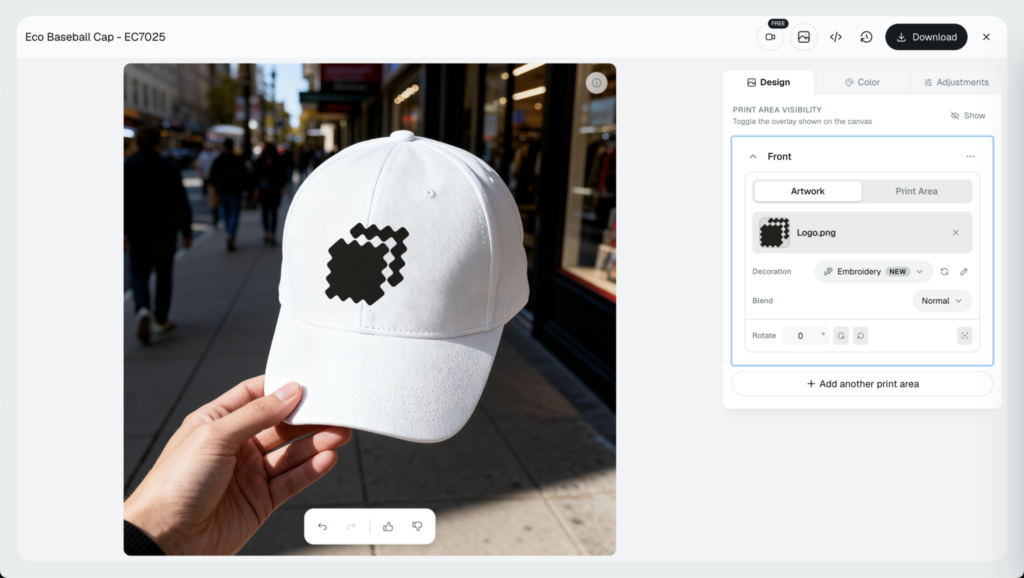
Mockup libraries cover the products POD sellers actually list: t-shirts and hoodies, mugs, tote bags, framed and canvas prints, phone cases, stickers, and more. One design can ride across all of them, which is how a single file turns into a full listing.
The important part: these are real product mockups. A template render places your actual design onto a real photo of a real product, so what the shopper sees is the genuine item rather than a generative AI scene.
That distinction matters for buyer trust, and it keeps your listing honest about what shows up in the box.
If you do add AI tools to the mix, such as an AI-generated background, follow Etsy’s current policies on disclosing how items are made and check its guidelines first. Treat that as positioning advice, not legal advice.
Mockups won’t replace every photo. When your product has a handmade quirk or a texture only a camera catches, shoot that one image, and our breakdown of mockups vs product photography covers where each one wins.
For everything else, the fastest path is a big scene library. Browse 100,000+ free mockup templates to pull hero shots, angles, lifestyle rooms, and flat lays for the same design, so no two slots look alike.
Render and Export the Full Set at Etsy Size in One Batch
Making 20 images one at a time is slow. Making them as a batch is where this gets quick.
Here is the workflow, start to finish.
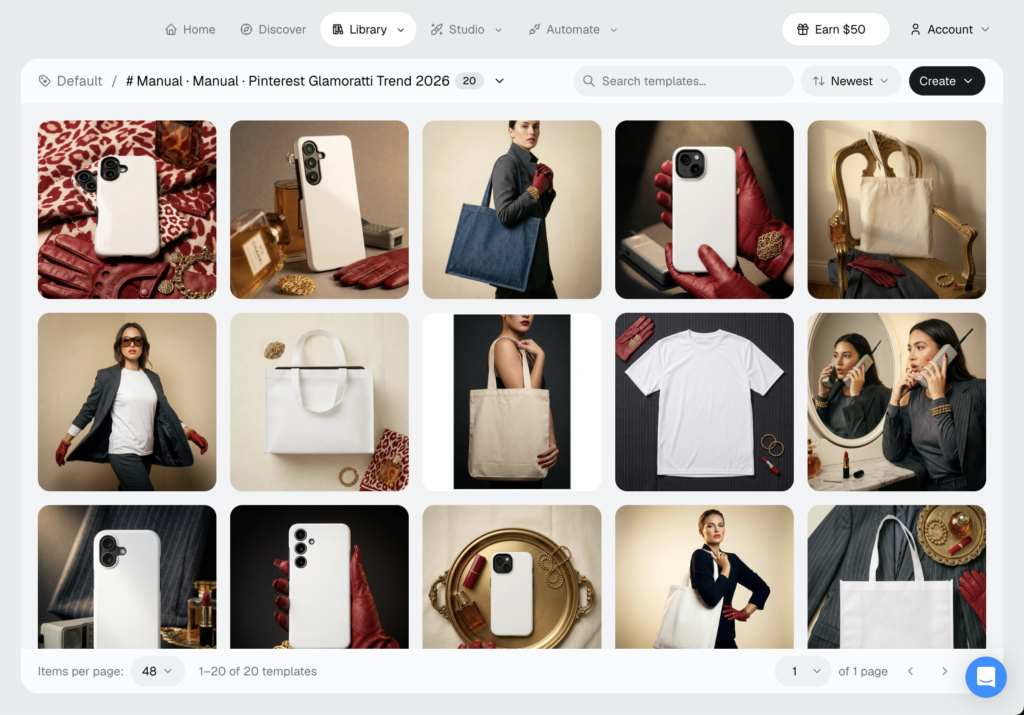
Step 1: Pick Your Templates
Choose scenes that cover your slot plan: a hero, a few angles, lifestyle rooms, close-ups, and a flat lay or two. Aim for variety so the set doesn’t repeat.
Step 2: Drop Your Design In Once
Upload your artwork a single time and place it across every template you picked. One design, many scenes, no re-uploading for each slot.
Step 3: Set Etsy’s 2000px Square Size
Export at 2000 x 2000 pixels so every image lands at Etsy’s recommended listing image size and fills the square thumbnail cleanly. Set it once and it applies to the whole set.
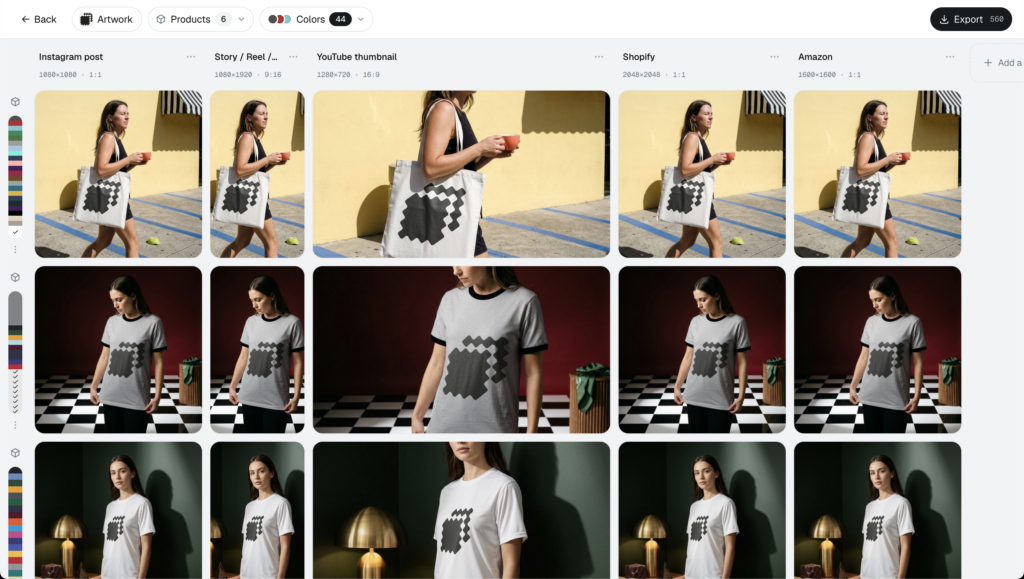
Step 4: Batch Render and Download
Render the full set in one pass and download all 20 images together. Our bulk mockup generator turns a 20-slot listing into a few minutes of work, and the same process repeats for every product in your shop.
Two things make the set stronger. Ready-made Etsy listing mockups give you scenes built for the marketplace, and if you would rather skip design software altogether, here is how to create Etsy mockups without Photoshop from scratch.
💡 Pro tip: Save your template selection as a reusable set. On the next product you swap in the new design and re-render all 20 slots at Etsy size, without rebuilding the scene list from scratch.
Set this up once and you have a repeatable system: same steps, same Etsy size, every product in your shop.
How Dynamic Mockups Helps You Fill Etsy Listings Fast
Filling all 20 Etsy slots comes down to three things, and Dynamic Mockups gives you all three.
- A big scene library: 100,000+ free templates for hero shots, angles, lifestyle rooms, close-ups, and flat lays, so every slot looks different.
- Bulk export at Etsy size: render one design across many scenes and download the whole set at Etsy-exact 2000px square in one batch.
- Straight into your listings: our Etsy integration pushes finished images to your listings and skips the download-and-re-upload shuffle.
It is free to start, and there is no credit card required.
New design in, 20 finished slots out, at Etsy size, every time you launch a product.
Pick one design, open a handful of templates, and fill all 20 Etsy listing photos before your coffee gets cold.
Showcase your e-commerce products like big brands, without costing a fortune. Sign up today. No credit card required. →
Frequently Asked Questions
How many photos can you add to an Etsy listing?
Etsy listings now hold up to 20 photos, doubled from the old cap of 10. That is twice the room to sell your product, and most shops still stop at 10 out of habit. In 2026, a full 20-photo listing is fast becoming what shoppers expect. Etsy also gives you a short video slot on top of the photos.
What size should Etsy listing photos be?
Etsy recommends at least 2000 pixels on the shortest side, and a 2000 x 2000 pixel square is the safest shape you can upload. The thumbnail crops to a square, so a square file shows up the way you designed it. Ignore DPI debates, since pixel dimensions are the only thing that affects how your image displays on Etsy.
How many Etsy listing photos should you actually use?
Use all 20. You almost never need 20 near-identical shots, so mix angles, crops, lifestyle scenes, close-ups, color variations, and a couple of info cards, with each image doing a different job. Front-load your best work, since many shoppers never click past the first handful. Every blank slot is selling space you are giving away for free.
Can you use mockups for Etsy listing photos?
Yes. Mockup templates place your actual design onto a real photo of a real product, so shoppers see the genuine item rather than a generative AI scene. One design can ride across mugs, tees, framed prints, tote bags, and more, filling all 20 slots without a camera or studio. If you add AI backgrounds, check Etsy’s disclosure policies first.
What should your first Etsy listing photo be?
Your first photo should be a clean, well-lit hero shot of the product on a simple background. Etsy uses it as the thumbnail in search results, so it carries the most weight in whether shoppers click at all. Center your design and leave a margin around it so the square crop does not clip anything important on the thumbnail.
![How to Create Mockups for Etsy in Minutes [No Photoshop or Canva]](https://dynamicmockups.com/wp-content/uploads/2026/07/how-to-create-etsy-mockups-no-photoshop-cover-768x403.png)