



 Knowledge
On this page
What Is a Product Configurator API?
A product configurator API is a backend service your app calls to apply a user’s logo, colors, or design to a product and return a photorealistic preview on the fly. Your front end sends a design. The API sends back a rendered image with his design on the selected mockup.
The whole point is that customers see their designs on a product mockup as fast as possible that will make them buy the products.
It helps to separate two things that usually get lumped together under one word.
The API is the render engine. It takes inputs, a design file, a mockup template you want to render, a few more optional parameters, and produces the rendered mockup image.
The front-end widget is the UI your shoppers actually touch: the upload button, the color picker, the live preview pane that updates as they click. It calls the API behind the scenes.
Scope them separately, because they are separate builds with separate problems. If you already understand what a product configurator is, you understand the widget. This post is about the engine underneath it, the part that decides whether the preview looks real and shows up fast.
Ours runs on two endpoints.
The MockAnything AI API turns a product photo or a prompt into a manufacturable lifestyle mockup. The Render Mockup API then applies the user’s design to that mockup and returns the finished preview, fast.
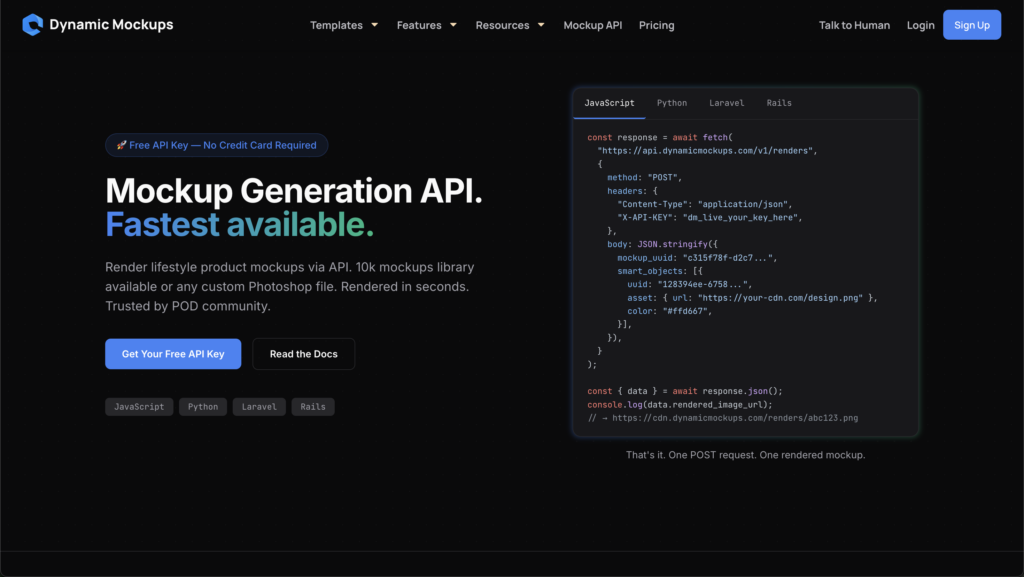
That is the full round trip: create once, render on demand.
The create mockup call is usually the slower, one-time step. The render call is the fast one you make again and again, every time a shopper touches a control or uploads the logo.
Who actually searches for this? Marketplaces adding personalization to their listings, promotional-product and ASI platforms quoting custom branded merch, and personalization apps that let buyers drop their own artwork onto a catalog.
Different products, same need underneath: take a customer’s design and show it on the item, instantly.
If you are on the UX side and want the shopper-facing flow first, start with how to add a product configurator to your website. If you are scoping the backend that powers a live product preview api, keep reading.
The Build in Three Layers: Create, Render, Embed
A working configurator is three layers stacked in order. Create the mockup, render the design, embed the preview.
Miss one and the experience breaks. Here is what each layer does and which part of our stack covers it.
Layer 1: Create the Mockup
Every configurator needs a base to render onto. The MockAnything AI API takes any product photo or prompt and turns it into a reusable, manufacturable product mockup.
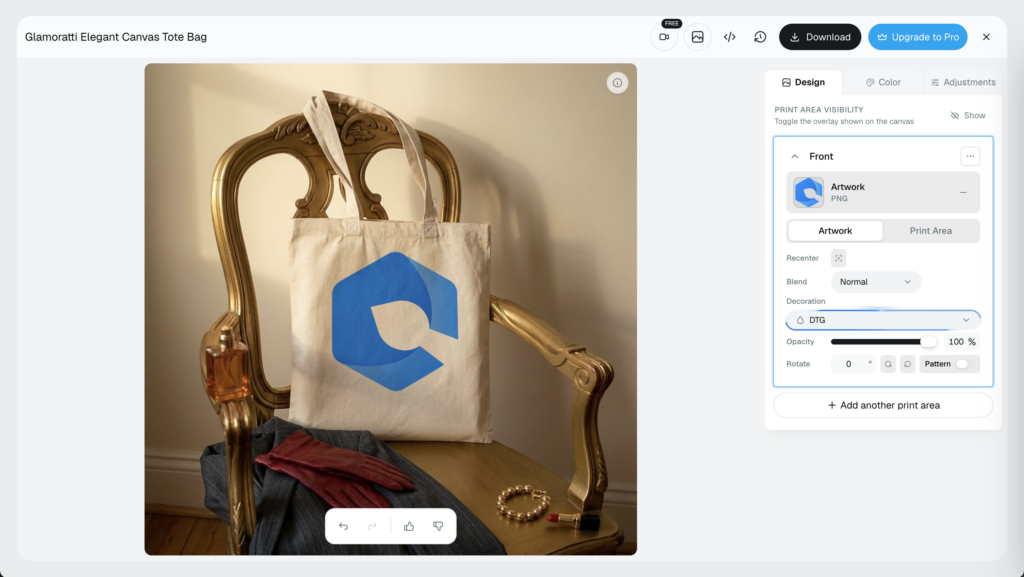
Manufacturable is the key word here. The mockup knows where the print area sits, how the surface bends, and how light falls across it. The customers get what they buy and not many APIs can achieve that.
It maps the warp and the curves, so a flat logo wraps around a mug, folds with the fabric of a hoodie, and sits on a tote like it was actually printed there, not pasted on top.
Do this once per product. Reuse it for every render after that.
Layer 2: Render the Design
This is the live part. The Render Mockup API drops the user’s logo, colors, and artwork onto that mockup and returns the finished image.
Send the design and choose the template by UUID, get back a photorealistic preview. Change the color, send again, get the new version.
This is the real-time mockup api call, the one that fires every time a shopper swaps a color, resizes their logo, or uploads a new file. It runs constantly during a session, which is exactly why the next section is about speed.
Layer 3: Embed the Preview
Now surface it so the shopper can see it. You have two paths.
Use our free online mockup editor as an embeddable editor, drop it into your site or app, and let it handle the UI and the preview pane for you. It is the fastest mockup editor embed if you would rather not build a front end from scratch.
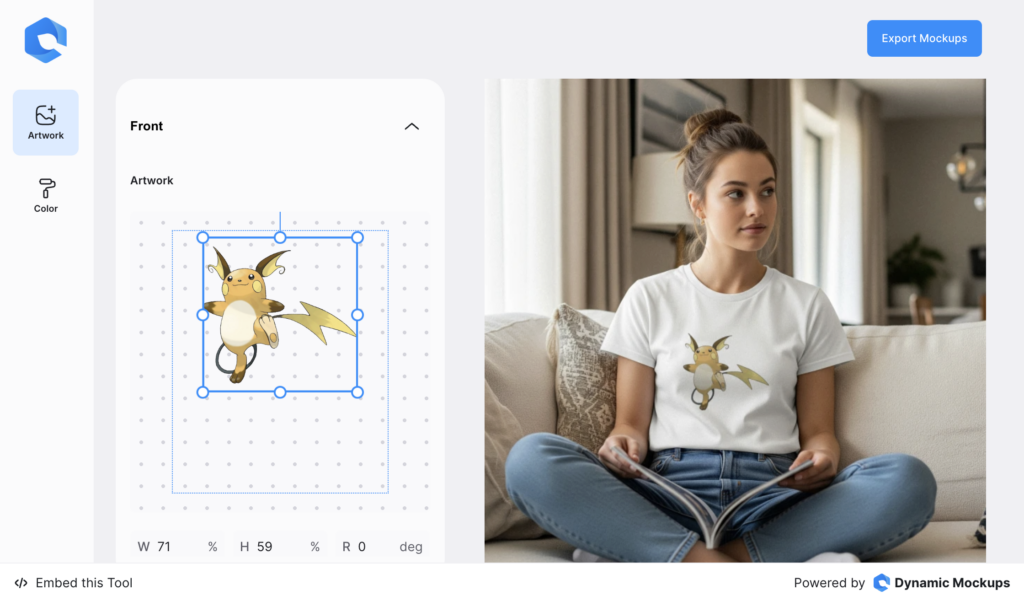
Or skip the editor, call the Render Mockup API straight from your own interface, and paint the preview into your existing UI. The exact way you would like to showcase it to your users.
Either way, whether you embed our mockup generator or call the API directly, the engine underneath is the same.
We are keeping this conceptual on purpose. The exact request-and-response detail lives in our API references, and the shopper-facing UX belongs to the configurator guide linked above. This section is about the shape of the build, not the syntax.
Why Render Speed Decides Whether Live Preview Works
Live preview means the render happens while the user waits. No overnight batch job. No “we will email your proof.”
The shopper changes a color and expects the image to change now. So latency is not a feature you tune later. It is the entire shopping experience.
Here are our numbers.
Our engine renders a single MockAnything mockup in about 800 milliseconds. At scale, it renders 750 mockups in 60 seconds, which is 12.5 per second, through parallel rendering using Batch Render Mockups API.
Parallel is the word that matters there. A slow renderer processes requests more or less one at a time, so previews line up and wait their turn.
Ours does not queue like that. It renders many at once, which is why the per-image time holds steady when a hundred shoppers are configuring at the same moment.
That speed matters because speed and sales move together, and there is real research behind that.
Google and Deloitte’s Milliseconds Make Millions study found that even a 0.1-second improvement in load time lifted conversion rates and average order value across the entire purchase funnel.
Portent’s research puts it plainly: a site that loads in 1 second converts 2.5 times higher than one that loads in 5 seconds.
A configurator bolted onto a slow renderer feels the opposite pull. Requests queue. The preview stalls the moment traffic spikes or the catalog grows past a few products.
And buyers do not wait around for it. Nearly 70% of consumers say page speed affects whether they will buy from an online store.
This throughput is not a setting we switched on last week. We built the render engine in-house over years, and it is where we beat the field on the one metric that gates live preview: how fast the finished image comes back.
The UX and Conversion Payoff of Instant Previews
Picture what instant rendering looks like to the person buying.
They drop in a logo and see it on dozens of products in about a second. A mug, a tee, a tote, a phone case, all wearing their design at once.
They are not staring at a generic catalog anymore. They are looking at their product. We can say they already bought it, just didn’t click the buy button yet.
That small shift is the whole game. When the preview keeps up with the clicks, hesitation drops at the exact moment personalization happens, right before the add-to-cart decision.
The data agrees. Shopify found that products shoppers could view in 3D saw a 40% lift in conversion and a 5% drop in returns.
Fewer returns is not a side note for personalized goods. When the buyer approved the exact image they are getting, there are fewer surprises at delivery.
Personalized shopping experiences also make 60% of consumers likely to become repeat buyers, according to Segment’s State of Personalization report.
A fast product personalization api is what makes that experience feel real instead of laggy. The tech disappears and the buyer just sees their idea on a product. To be honest, they must not feel the tech behind it and that’s the best possible outcome.
Live preview is not the only payoff, either. The same engine that renders one image for a shopper generates listing images in bulk.
Need a thousand catalog images across your product range, one design set applied to every blank? Push them through without a render queue holding up the pipeline. Our Bulk Mockup Generator handles volume the same way it handles a single live request, in parallel.
💡 Pro tip: Before you commit engineers to a homegrown renderer, look at teams already shipping on the API. See how Matesy redefined e-commerce speed on our stack for a real example of what the render engine makes possible at scale.
Build vs Buy: Scoping Your Configurator Backend
Now the decision every platform team hits: build the render backend yourself, or buy one that already works.
Building in-house means building three hard things, and then keeping them running.
- A rendering engine: turns design plus product into a photorealistic image, every time, without artifacts.
- Realistic warp and curve mapping: so artwork bends around real shapes instead of sitting flat and obviously fake.
- Scalable parallel infrastructure: so previews stay fast when traffic and catalog size climb together.
None of that is a weekend project. Not with the powerful AI tools we have access to now. Each piece is its own specialty, and together they took us years to get it right and stable.
Buying changes the scope entirely. You get two documented endpoints and an embeddable editor you can wire up now. MockAnything AI to create the mockup, the Render Mockup API to render it, the editor or just an API call to embed the final result.
Here is the trade-off side by side.
| Factor | Build In-House | Buy (Dynamic Mockups) |
|---|---|---|
| Engineering effort | High: engine, warp mapping, infra | Two endpoints plus editor |
| Time to ship | Months to years | Days |
| Render speed | However fast you can build it | ~800 ms per mockup |
| Scaling headroom | You build and maintain it | 12.5/sec baseline, more on request |
| Ongoing upkeep | Your team owns every bug | We own the engine |
That last row is the one to sit with. When the renderer breaks at 2 a.m., a homegrown stack is your on-call problem. On our stack, it is ours.
Upkeep like that rarely shows up in the first estimate, but it is the part that outlasts the launch.
And the throughput scales. 12.5 per second is the baseline, not the ceiling. Higher-volume customers can go well past it, and we handle that scaling instead of your team.
This is the real build vs buy product configurator math: engineering months and permanent maintenance against two endpoints you can call this afternoon.
For a team that moved off a slow, manual process, see how Arbitbox automated its visual production with our API instead of building the pipeline from scratch.
How Dynamic Mockups Powers Your Product Configurator API
Here is the whole stack in one pass.
- MockAnything AI API: turn any product photo or prompt into a reusable, manufacturable product mockup with realistic warp and curves.
- Render Mockup API: apply the user’s logo and colors and return a photorealistic preview in about a second.
- Embeddable mockup editor: surface the live preview inside your own app, no front-end rebuild required.
Create, render, embed. Three documented parts, one render engine behind them.
It is free to start, no credit card required, and it scales as your request volume grows.
Developers can wire up both the MockAnything AI and Render Mockup API from our API references and have a preview rendering the same day. When your volume climbs, check pricing for higher-volume tiers.
Start building your product configurator api on our stack today.
Showcase your e-commerce products like big brands, without costing a fortune. Sign up today. No credit card required. →
Frequently Asked Questions
What is a product configurator API?
A product configurator API is a backend service your app calls to apply a user’s logo, colors, or design to a product and return a photorealistic preview. Your front end sends a design and a product, the API sends back a finished image. It is the render engine underneath the widget, separate from the buttons and swatches shoppers touch.
How fast can a product configurator API render a live preview?
Speed decides whether live preview works, because the render happens while the shopper waits. Our engine renders a single mockup in about 800 milliseconds, and 750 mockups in 60 seconds through parallel rendering, roughly 12.5 per second. Parallel matters: previews do not queue one at a time, so per-image speed holds steady even when many shoppers configure at once.
Should I build or buy a product configurator backend?
Building in-house means three hard things: a rendering engine, realistic warp and curve mapping, and scalable parallel infrastructure, plus permanent upkeep when it breaks. Buying gives you two documented endpoints and an embeddable editor you can wire up in days. The real math is engineering months and ongoing maintenance against an API you can call this afternoon.
Can I embed a live mockup preview in my own app?
Yes. You have two paths. Drop our free online mockup editor in as an embeddable editor and let it handle the UI and preview pane for you, no front-end rebuild required. Or skip the editor, call the Render API straight from your own interface, and paint the preview into your existing UI. Either way the engine underneath is the same.
Is there a free product configurator API?
Yes. Dynamic Mockups is free to start with no credit card required, and it scales as your request volume grows. Developers can wire up both the MockAnything AI API and the Render API from our references and have a preview rendering the same day. When volume climbs, higher-volume pricing tiers cover the extra throughput.
![Mockup API Rate Limits & Speed: 9 Questions Developers Ask [FAQ]](https://dynamicmockups.com/wp-content/uploads/2026/08/mockup-api-rate-limits-cover-768x403.png)