



 Knowledge
On this page
What Are the Mockup API Rate Limits and How Fast Is It?
Developers vetting a mockup API want hard numbers on speed before they read another word. Here they are.
The Render Mockup API renders 12.5 mockups per second, which works out to 750 mockups in 60 seconds. A single render takes about 800 milliseconds. That 12.5 per second is baseline throughput, so it climbs as your volume grows.
Two of those figures describe different things, and the difference matters when you plan an integration.
The 800 milliseconds is latency: the turnaround for one render, from request to finished image. The 12.5 per second is throughput: how many renders the engine completes each second while it runs jobs in parallel using Batch Render Mockups API.
You don’t divide one into the other. Many renders are in flight at once, which is how a sub-second single render adds up to 750 mockup API requests per minute from one stream.
So what about the rate limits?
The default rate limit is 300 calls per minute, but if you are using our Batch Render Mockups API, you can basically generate thousands of images using 300 calls per minute if you are rendering dozens of images per one call. Even if you need higher rate limits, we can unlock it for you. Our API is created to scale along with your needs.
We run a custom, in-house rendering engine that accepts many requests at once and renders them in parallel. A bulk job of hundreds of images gets batched and processed together, instead of being dripped out from behind a queue.
That’s the practical shape of the mockup API rate limits question. You plan around throughput, not around a hard cap.
Send batches, and the engine handles the concurrency for you. Capacity also grows with your account, so the ceiling moves up as your business does.
To reach the full rate, keep several requests open at once rather than sending one, waiting 800 ms, then sending the next. Fire them concurrently and let the engine fill its parallel slots.
That’s the gap between the roughly 1.25 renders per second a strict one-at-a-time loop gives you and the 12.5 a batch delivers.
And if you push more at the engine than it can take at that instant, the extra requests wait their turn instead of failing. A traffic spike doesn’t drop renders on the floor or bounce back a wall of errors.
Why does 800 milliseconds per render matter? A render is a heavy operation. The engine composites your design onto a template, warps it to fit the surface, and outputs a high-resolution image.
For context, high-performing APIs keep average response times between 0.1 and 1 second, and users start noticing lag around the two-second mark. A sub-second render sits well inside that window.
The benchmarks hold on the heavy end too. Even for the slowest category of calls, a good API response time still lands under one second, which is right where a full image render at 800 ms comes in.
You can verify every one of these numbers yourself without a sales call. Start free with 50 credits, no credit card required, and time real throughput on your own designs.
Visit our Mockup Generator API and start rendering mockups for free.
What Counts as One Render and One Credit?
One render equals one mockup image. It’s a single design placed on one template or scene, composited and returned as one image file.
That definition is what makes cost predictable. A bulk job’s credit cost is the sum of its individual renders, so you can estimate usage before you fire a single call.
Here’s the math in practice. You have 40 designs and you want each on 3 templates. That’s 120 renders, so 120 credits.
Add color variants and the same rule holds. Five designs, four shirt colors, two angles each comes to 40 images, so 40 credits.
The credit count always follows the number of images you actually generate. Nothing hides in the background inflating the total.
Budget for iteration on top of that. Re-render a design after nudging its placement and that’s a new render and a new credit, so leave a little headroom for the revisions every catalog goes through.
That gives you a clean way to size a plan. Multiply your designs by the templates, variants, and angles each one needs, and that product is your monthly render count.
Under the standard mapping, one render draws one credit, so your free 50 credits cover roughly 50 renders for testing purposes. That’s enough to wire up the workflow from request to finished image.
The API docs list the exact mapping per endpoint, so you can reconcile a batch to the credit before you scale it up. Count the output images, and you’ve counted the credits.
Is There a Free Mockup API? Yes, 50 Credits, No Card
Yes. You can test the mockup API free with 50 credits and no credit card required.
Fifty renders is a real evaluation budget. It’s enough to wire up the integration and prove it out before you write a line of production code.
Here’s what those credits let you check:
- Wire the endpoints: authenticate, post a design, pull an image back.
- Judge output quality: inspect resolution, color accuracy, and how the artwork sits on the template.
- Time real throughput: run a small batch and measure the 12.5-per-second speed over your own connection.
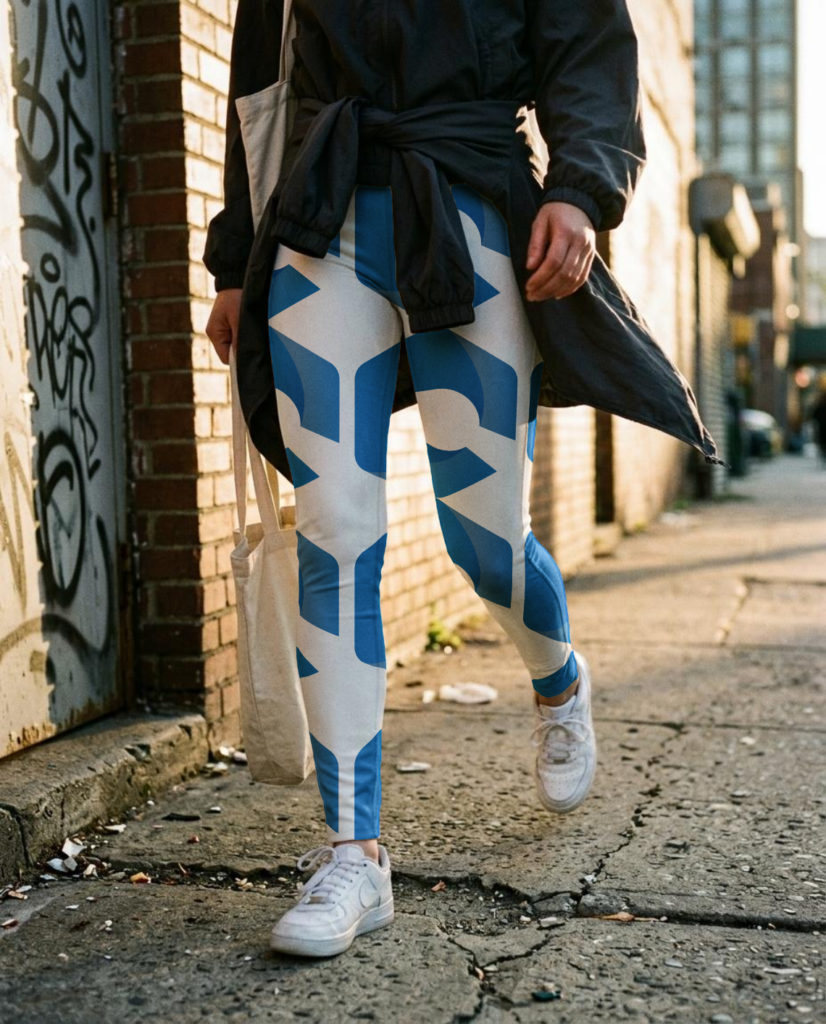
Spend a few of those renders on the hard cases. Put a busy design on a dark surface, check the edges where the artwork meets a curve, and confirm the export resolution matches what your listings need.
Work through that and you know whether the free mockup API fits your stack, no meeting required.
The free credits sit on the same API you would run in production, so nothing in your code changes when you upgrade. When you need the volume, paid plans add the credits and automation for high-throughput rendering.
The pricing page lists each tier, so you can match a plan to the monthly render count you estimated in the last section.
Can I Use My Own PSD or a Product Photo?
Yes, both and even more. You’re not boxed into a fixed template library.
There are three ways to get your product into the API:
- Bring your own PSD. Upload a Photoshop template with smart objects and render your designs straight into it.
- Start from a product photo. Turn any photo into a reusable mockup with MockAnything AI, no PSD required.
- Create a mockup just from a prompt. Turn any prompt idea and POD product into a reusable lifestyle mockup.
The PSD route suits teams who already own branded templates and want pixel control over placement. The photo route suits everyone who has a product shot but no layered file to go with it.
That photo route runs on two endpoints that hand off to each other.
First, the MockAnything AI API turns your product photo or prompt into a mockup. It handles the warp, the curves, and the lifestyle controls that make a flat photo read as a real, manufacturable product on a real surface.
You can even generate the mockups in our web application using MockAnything AI and then reuse them via API to render hundreds of designs on the same reusable mockup.
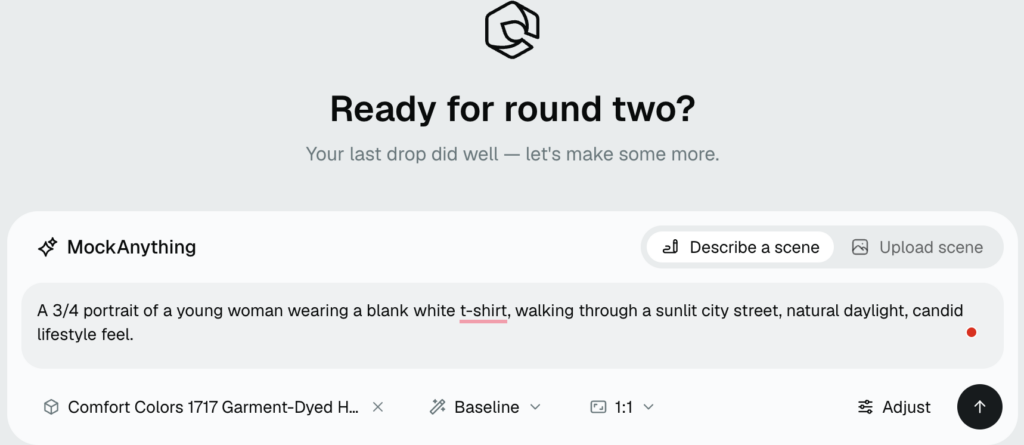
Those controls are a big part of why the tool has become an industry standard for custom mockups.
Then the Render API takes that mockup and drops in your logo and color variants, rendering each one at the 12.5-per-second speed from the first question.
The payoff is reuse. Once MockAnything builds the mockup, it becomes a template you render against again and again, so one product photo can back hundreds of design variations without repeating the setup.
Going the custom PSD route instead? Our guide on how to format your PSD for the API covers smart-object naming and layer setup so your template renders correctly the first time.
If you would rather see the no-code version before you build, the AI mockup generator feature page shows the same MockAnything workflow running in the browser.
Does the Mockup API Speed Scale as I Grow?
Yes. The 12.5 renders per second is the baseline, not the ceiling.
The engine is built to scale out, so customers who need more can push past 12.5 per second as their volume climbs. You won’t hit a wall the month your catalog takes off.
This matters most for catalog work, where product ranges multiply fast. One seller with 200 designs across 5 product types has effectively built 1,000 products, and each of those wants several listing images.
Picture an agency onboarding a client with 300 SKUs, each needing a front shot, a back shot, and two lifestyle angles. That single client is 1,200 renders before anyone touches a second design.
Onboard three clients that size in a week and the API is quietly doing work a studio used to bill days for.
Run that across a real store and you’re generating thousands of images every time you launch or refresh a collection.
A slow render also costs you time to market. Every hour spent waiting on images is an hour a finished design sits unlisted, and that’s where launch dates slip.
At that scale, render speed is the whole game. A slow API turns a catalog refresh into an overnight job. A fast one turns it into a coffee break.
For big batches without code, the bulk mockup generator runs the same rendering engine from a design set. Feed it with designs, and it renders the whole matrix in one pass.
And if you are replacing a slow local pipeline, here’s how we work as a Photoshop API alternative for rendering at scale: rendering in the cloud instead of tying up a machine that runs Photoshop scripts one file at a time.
How to Start With the MockAnything and Render APIs
The whole thing is two API calls. Create a reusable lifestyle mockup, then render it.
You don’t need Photoshop installed or a local render farm to babysit. Both steps run against our cloud.
Step 1: Create the Mockup With the MockAnything AI API
Send a product photo or prompt to the MockAnything AI API. It returns a reusable mockup with the warp, curves, and lifestyle setup already handled, ready to take your designs.
Already have a PSD with smart objects? Skip this step and upload your template instead.
Step 2: Render It at High Speed With the Render Mockup API
Send your design, logo, and color variants to the Render Mockup API. This is the call that runs at 12.5 mockups per second using the Batch Render Mockups API, so this is where your batch throughput comes from.
Point both calls at a queue and you have an automated pipeline that turns a folder of designs into a folder of finished mockups, hands-off. Add basic retry logic on your side and a batch of thousands runs unattended.
In production, those same two calls carry the whole catalog. The MockAnything step runs once per product, and the Render step repeats for every design, color, and angle you send it.
Both calls authenticate with one API key from your dashboard, so there’s nothing else to wire up before your first render.
For the full walkthrough, our complete mockup API guide covers authentication, request formats, and both endpoints in one place.
Then start rendering. Your first 50 mockups are free, no credit card required. →
If you want to take a look right now before creating Api Key, see our API Playground and start getting renders immediately.
Showcase your E-commerce products like big brands, without costing a fortune. Sign up today. No credit card required.
Frequently Asked Questions
How many mockups can the Dynamic Mockups API render per minute?
The Render API renders 12.5 mockups per second, which works out to 750 per minute from a single stream. One render takes about 800 milliseconds. That 12.5 figure is baseline throughput, so it climbs as your volume grows. Fire requests concurrently rather than one at a time to hit the full rate.
What is the difference between the MockAnything AI API and the Render API?
They handle two stages. The MockAnything AI API turns a product photo into a reusable mockup, handling the warp, curves, and lifestyle setup so a flat photo reads as a real product. The Render API then takes that mockup and drops in your design, logo, and color variants at 12.5 renders per second. MockAnything runs once per product; Render repeats for every variation.
Do I need Photoshop to use a mockup API?
No. You don’t need Photoshop installed or a local render farm. Everything runs against our cloud. Send a product photo to the MockAnything AI API and it builds the mockup for you, no PSD required. If you already own layered Photoshop templates with smart objects, you can upload and render straight into those too. Either route works.
Is the Dynamic Mockups mockup API free to use?
Yes. You can test the mockup API free with 50 credits and no credit card required. One render draws one credit, so that’s roughly 50 renders, enough to wire up the endpoints, judge output quality, and time real throughput on your own designs. The free credits run on the same API you’d use in production, so nothing in your code changes when you upgrade.
How do I get an API key to start rendering mockups?
Grab one API key from your dashboard and both endpoints authenticate with it, so there’s nothing else to wire up before your first render. Sign up free, no credit card required, and you get 50 credits to start. Point the MockAnything AI API and the Render API at that key, and you’re ready to render.
