

Cap Mockup Templates
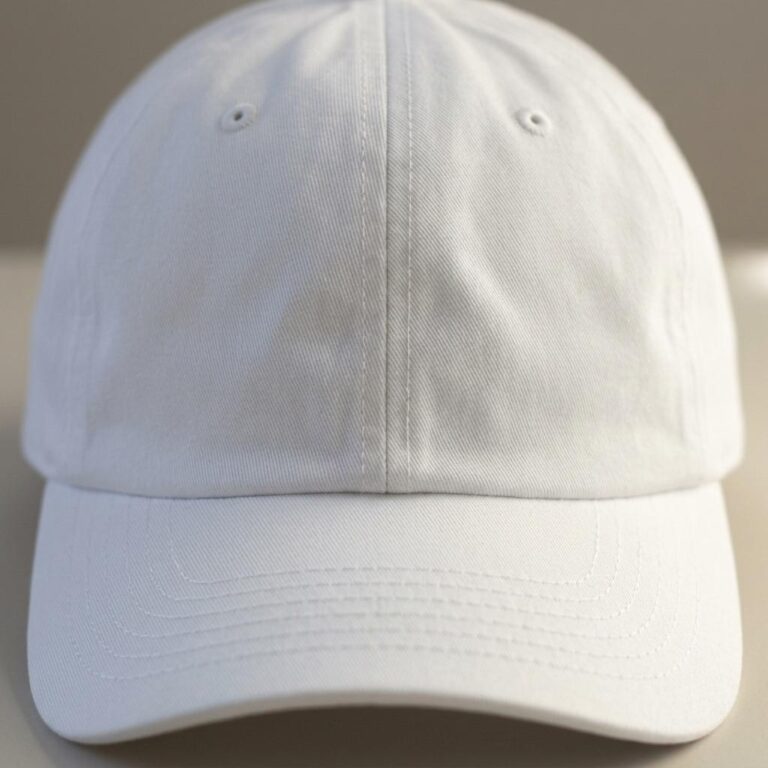
Cap mockup templates put your logo or printed design on a photorealistic 5-panel hat, so buyers see exact color, scale, and front-panel placement before a single unit ships. Each scene is lit and composed to match how caps actually appear on product pages and social feeds.
Upload your design file, position the artwork on the front panel, and the template handles the realistic rendering. Download a high-resolution image ready for your Etsy listing, Shopify store, or print-on-demand catalog.
Formats
- PSD
- PNG
- Online editor
- API
Compatible with
- Photoshop
- Illustrator
- Canva
- Figma
Popular Cap Mockup Templates

Where they go
Create Cap mockups for every platform
-
Print-on-demand stores
Product listings for Etsy, Amazon Merch, Redbubble and the rest. Upload your design, pick your cap colour, and download a marketplace-ready image in seconds — no photography.
-
Shopify & e-commerce
A consistent catalogue of cap mockups across Shopify, WooCommerce or BigCommerce. The Shopify integration and the API automate it for your whole inventory.
-
Social & advertising
Scroll-stopping images for Instagram, Facebook, Pinterest and TikTok. Lifestyle cap mockups outperform flat product shots in both ads and organic posts.
-
Agencies & freelancers
Present cap concepts to clients photorealistically. High-resolution exports for pitch decks and portfolios, and bulk generation for whole collections.
How it works
How to create a Cap mockup
Three steps to a professional product image.
-
Choose a template
Browse the cap mockups and filter by colour, style, angle or model. On-model lifestyle shots, flat lays, hanging views, ghost mannequins and 3D renders — every one free to preview.
-
Upload your design
Drop your artwork, logo or pattern onto the template and set its placement, size and rotation in the online editor — or download the PSD and finish it in Photoshop or Illustrator.
-
Download and use
Export a high-resolution PNG for your Etsy listings, Shopify pages, social posts or client decks. Need hundreds? The API generates them automatically.
Frequently asked questions
What people ask about Cap mockups, and the short answers.
Talk to Human →What Is a Cap Mockup Template?
A cap mockup template is a photorealistic image that places your logo or design on a hat, showing the artwork at accurate scale and color before production. You see exactly how it sits on the front panel, brim, and crown, so you can share a convincing product preview without ordering a physical sample first.
How Do I Add My Logo or Design to a Cap Mockup?
Open a template in the Dynamic Mockups browser editor, upload your artwork file, and position it over the front panel area. The editor renders your design onto the hat in real time. When the placement looks right, export a high-resolution image. No Photoshop or design software is needed.
Are Cap Mockup Templates Free to Download?
Yes. Every template in the Dynamic Mockups Public Library, including all cap mockups, is free to use. Upload your design, adjust the placement, and download your image at no cost. The exported image is yours to use on listings, social posts, and client presentations.
Can I Use Cap Mockup Images in My Online Store or for Commercial Projects?
Yes. The images you export are shop-ready for Etsy, Shopify, Amazon Merch, or any print-on-demand storefront. POD sellers use mockups to cover colorways and styles before physical samples exist, which keeps listing costs low and gets products in front of buyers faster.
What Cap Styles and Scenes Does This Category Cover?
The category features 5-panel hat mockups, with templates built around structured front panels that show logo placement clearly. Scenes include daylight outdoor settings and clean studio-style backgrounds. New cap styles and colorways are added to the library as additional templates are published.
Your design on a cap, in seconds.
Pick a template, drop your artwork on it, export. Free to start, no credit card.