News
News
On this page
What Is OneKlik DTF?
OneKlik DTF is an AI-powered, all-in-one cloud platform that turns any design into a print-ready DTF (direct-to-film) file. It handles background removal, halftoning, gang-sheet layout, and print optimization in one place, so you go from idea to production-ready file without opening five different programs.
Dynamic Mockups has partnered with OneKlik DTF. For Etsy and other print-on-demand sellers, it means the two halves of every product launch, print prep and listing visuals, now sit on one simple path.
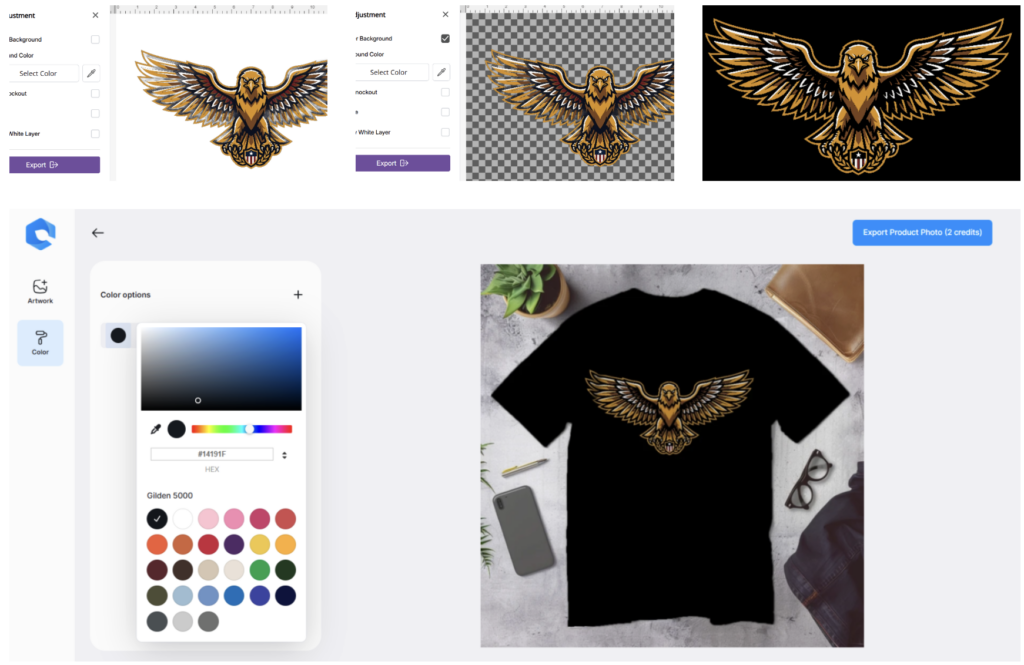
OneKlik gets your file ready for the printer and, with the integrated Dynamic Mockups editor, it turns that same design into the lifestyle images that sell it.
Most sellers stitch this together from a pile of separate tools. A photo editor here, a gang-sheet builder there, a manual export and product mockup preview somewhere else. OneKlik swaps that pile for a single cloud workflow that runs in your browser, with nothing to install.
The single flow is the point. These processes used to live in apps that never spoke to each other and consumed a lot of time, so you would finish a file in one place, then re-import and re-crop it somewhere else to build a mockup. Now the same design moves straight from print prep to presentation.
If you’ve ever lost an afternoon to file prep before a single shirt got printed, this is the part that gives the afternoon back.
What Is DTF Printing? A Quick Tour for POD Sellers
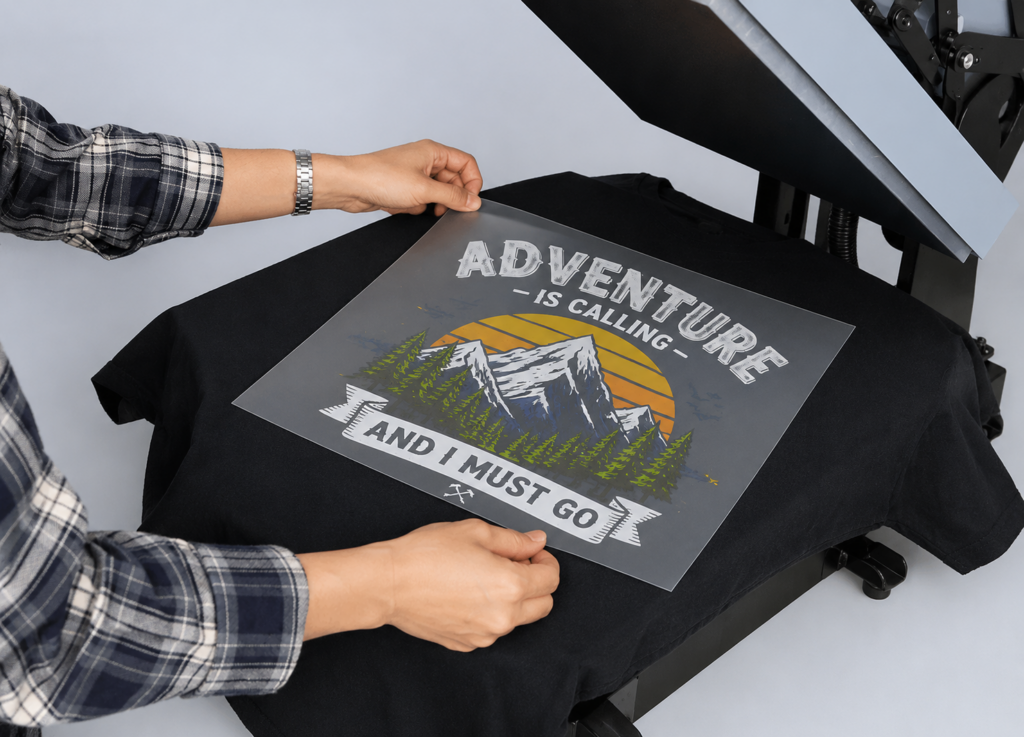
DTF stands for direct-to-film. Your design is printed onto a special film, coated with an adhesive powder, cured with heat, then pressed onto the garment so the ink bonds to the fabric. That’s the whole process, minus the jargon.
The appeal for sellers is easy to see: bold, full-color prints that last. Applied correctly, DTF holds up through repeated wash cycles without fading, cracking, or peeling.
It’s also not picky about material. DTF works on 100% cotton and its blends, along with polyester, denim, and more, usually with no pretreatment step.
That flexibility matters when your catalog is spread across tees, hoodies, tote bags, and caps from different suppliers on different blends.
How does it stack up against older methods? Screen printing is cheaper at high volume but slow and pricey for one-offs. DTG gives a soft print on cotton but needs pretreatment and does its best work on lighter, cotton-heavy garments.
DTF sits between them. You get full-color detail with no per-color setup, and because the ink rests on top of the fibers, gradients and fine lines come through clean. It handles the bright, photographic artwork that sells today, the kind of detailed designs older transfer methods struggle to reproduce.
Then there’s the money. Direct-to-film printing has no screens to burn and no order minimums, so a one-off shirt costs about the same per unit as one from a batch of fifty.
For short-run POD, that’s the whole point. You can list a design, sell one, and print one without paying a setup fee to get started.
That changes how you test ideas. Print one, see if it sells, and put your money into the winners instead of a garage full of guesses.
Durability is a quiet money-saver on top of that. Prints that survive the wash mean fewer complaints and fewer returns, plus the kind of reviews that keep a POD shop visible in search.
That mix of durability, flexibility, and low setup cost is why DTF printing for print-on-demand has taken off.
How OneKlik DTF Turns Any Design Into a Print-Ready File
Prepping a design for DTF has always involved a few unglamorous steps. OneKlik automates the ones that eat your time.
Here’s what runs in the background once you upload or generate your art:
- Background removal: AI cuts your subject out cleanly, no manual masking.
- Halftoning: turns gradients and shading into dot patterns a DTF printer can actually reproduce.
- Gang-sheet layout: works like a DTF gang sheet builder, packing multiple designs onto one film sheet so you waste less material.
- Print optimization: sets the white underbase and exports so the file lands right the first time.
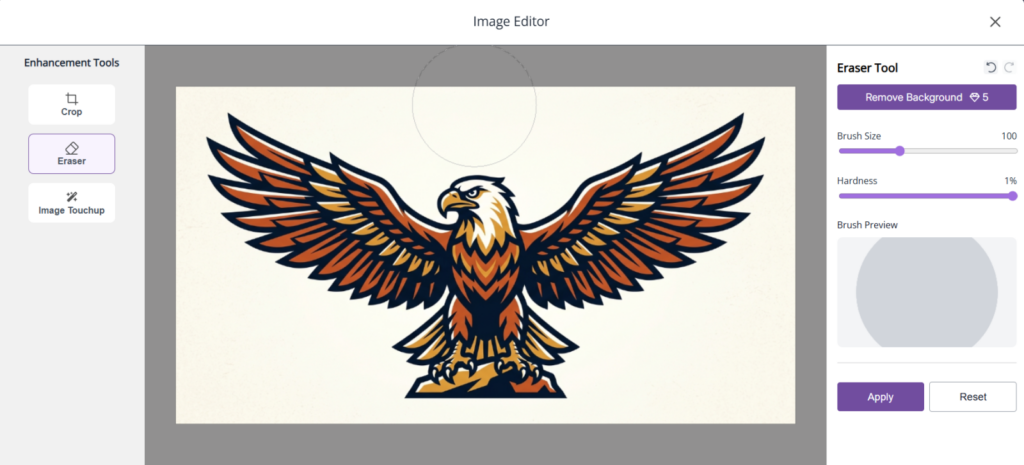
OneKlik covers the front of the process, too. You can generate artwork with its AI tools or start from a blank canvas, then push it straight into print prep without switching apps. This is a very powerful flow to also get from the ideation to the finished design you want to print, and that’s why OneKlik DTF is a perfect choice.
The old way was a relay race between programs. Clean up the art in Photoshop, rebuild the layout in a separate gang-sheet builder, then wrestle with export settings and hope the white layer came out correct.
Each of those steps is a spot where the old workflow used to break. A background that isn’t fully removed leaves a faint box around your art. A missing white layer turns a bright design muddy on a dark shirt.
OneKlik puts all of it under one roof. Traditionally, creators rely on multiple tools for cleanup, background removal, halftoning, layout, and print prep; OneKlik centralizes those steps into a single production-ready workflow that auto-saves to the cloud and follows you across devices.
So who gets the most out of it? Sellers who want finished, print-ready DTF files without going back to school for prepress. If “white underbase” and “halftone density” make your eyes glaze over, that’s the point. OneKlik handles them.
From Print-Ready File to Photorealistic Listing With Dynamic Mockups
A print-ready file gets your product made. It doesn’t get it sold. That job belongs to your listing images and how well you present your designs, and it’s where Dynamic Mockups comes in. OneKlik DTF integrates the Dynamic Mockups editor so you can keep everything under one roof.
Here’s why this half carries as much weight as the print. Shoppers can’t touch or hold your product, so your images are the product in their eyes. A flat, dim photo makes even a strong design look cheap, and buyers scroll right past.
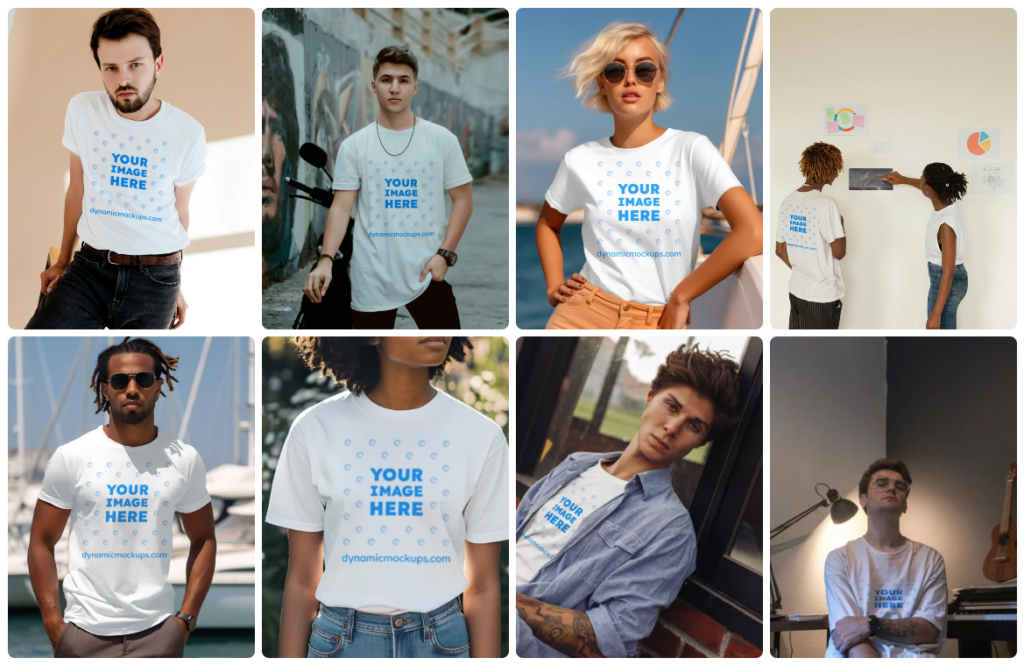
Once your design is finalized in OneKlik, you can instantly preview that image on the lifestyle mockup. And that’s it! You’ve got lifestyle photorealistic t-shirt, hoodie, and tote bag images ready.
Mix flat-lay shots that show detail with lifestyle scenes that put the product on a real person. That mix is what makes a listing read like a brand instead of a test print.
Why the OneKlik DTF + Dynamic Mockups Workflow Wins in 2026
You will keep everything inside one platform, from design ideation and making a DTF to print-ready mockup images. OneKlik owns print prep, and the integration with Dynamic Mockups, which creates lifestyle mockups, solves a lot of pain, and eliminates the need to use different tools to achieve the same results.
Using this workflow, you get the full distance from raw design to published product.
Here’s how that compares to the way most sellers still work:
| Workflow stage | Old-tool approach | OneKlik + Dynamic Mockups |
|---|---|---|
| Artwork cleanup | Manual masking in Photoshop ⚠️ | AI background removal ✅ |
| Print prep | Separate halftone and gang-sheet apps ⚠️ | Automated in one place ✅ |
| Export print file | Manual white layer and settings ⚠️ | Production-ready export ✅ |
| Listing images | Photoshoot or hand-built mockups ⚠️ | See your print file in photorealistic templates in seconds ✅ |
| Scaling up | Repeat every step per design ⚠️ | Easy to re-use and create inside one tool ✅ |
The payoff lands hardest for the seller who’s short on time and budget. You get output that looks like a big brand’s, without a big brand’s software bill or a studio on call.
Speed is the other half of the edge. When prepping a file and rendering a full set of mockups both take minutes, you can react to a trend the same day it starts, not a week later.
There’s a consistency win, too. When every listing runs through the same clean templates and the same print process, your shop looks deliberate rather than pieced together, and that is what earns a shopper’s trust.
Demand is heading this way. The print-on-demand market was valued at $10.8 billion in 2025 and is projected to reach $57.5 billion by 2033, with apparel the single largest category. More sellers means more listings, and the ones who can prep and present fast get the edge.
To be fair to the alternatives: Placeit, Printful, and Canva all make mockups, and there are plenty of standalone gang-sheet builders for DTF. Any of them can handle a piece of this. What’s different here is one connected, simplified path from file prep to finished listing, and a very low price compared to how many hours you will save.
How to Get Started With OneKlik DTF and Dynamic Mockups
You can run this whole workflow today.
Upload or generate your artwork in OneKlik, then let it run background removal, halftoning, and gang-sheet layout. This is where your idea becomes a real print-ready DTF file.
Let OneKlik DTF do all the necessary optimizations, then preview the design on lifestyle mockups in the Dynamic Mockups editor integrated into their platform.
Next, export your photorealistic mockups and upload them straight to Etsy, Shopify, Amazon, or wherever you sell.
That’s the loop. Design ideation using AI, print prep, previewing final visuals on lifestyle mockups and final export. All in one, no Photoshop in between.
Ready to try it? Prep your next file in OneKlik DTF.
Showcase your E-commerce products like big brands, without costing a fortune.
Frequently Asked Questions
What is OneKlik DTF?
OneKlik DTF is an AI-powered, all-in-one cloud platform that turns any design into a print-ready DTF (direct-to-film) file. It handles background removal, halftoning, gang-sheet layout, and print optimization in one browser workflow, with nothing to install. Instead of stitching together five separate programs, you go from idea to production-ready file in a single connected path.
What is DTF printing and how does it work?
DTF stands for direct-to-film. Your design is printed onto a special film, coated with an adhesive powder, cured with heat, then pressed onto the garment so the ink bonds to the fabric. Because the ink rests on top of the fibers, you get bold, full-color prints with clean gradients and fine lines. It works on cotton, polyester, denim, and blends, usually with no pretreatment.
Is DTF printing good for print-on-demand?
Yes. DTF has no screens to burn and no order minimums, so a one-off shirt costs about the same per unit as one from a batch of fifty. That makes it ideal for testing designs: list one, sell one, print one, with no setup fee. Prints survive repeated washes too, which means fewer returns and better reviews for your shop.
How do I prepare a print-ready DTF file?
Prepping a DTF file means removing the background, halftoning gradients into printable dot patterns, laying designs out on a gang sheet, and setting the white underbase before export. OneKlik DTF automates all of it in one cloud workflow, so you upload or generate your art and it handles the prepress. The file exports with the correct white layer and settings, ready for your printer.
Can I turn a DTF design into product mockups?
Yes. OneKlik DTF integrated Dynamic Mockups editor and API. Once your design is finalized, you can preview the designs on photorealistic t-shirt, hoodie, or tote bag images in seconds, no Photoshop and no photoshoot.