



![Cool Blue Aesthetic Product Mockups for 2026 [Pinterest Trend]](https://dynamicmockups.com/wp-content/uploads/2026/08/cool-blue-aesthetic-product-mockups-cover-768x403.png) Ecommerce
Ecommerce
On this page
Where Do People Buy Products Online in 2026?
Where do people buy products online in 2026? Across three kinds of surfaces at once: social feeds, online marketplaces, and your own store.
Social is Instagram, TikTok Shop, Pinterest, and YouTube. Marketplaces are Etsy and Amazon. Your own store is usually Shopify.
That is seven channels one product can sell on at the same time.
Here is the catch. Each channel wants its own natively sized image, and the shot that looks perfect on TikTok looks wrong on Pinterest.
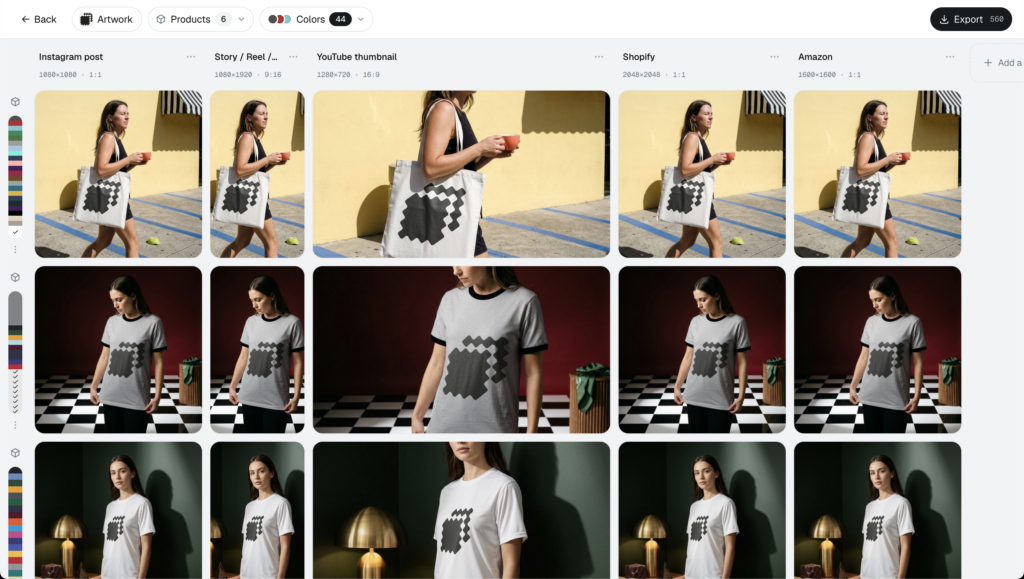
So the takeaway, up front: make the image once as a mockup, then export the correct size for every channel in one pass. One render, seven ready-to-post files, no reshoot.
| Channel | Who buys here | Image it wants |
|---|---|---|
| Feed and Shop-tab browsers | Portrait 1080 x 1350, square 1080 x 1080, Story 1080 x 1920 | |
| TikTok Shop | Impulse buyers checking out in-feed | Vertical 1080 x 1920 (9:16) |
| Planners saving for payday | Vertical Pin 1000 x 1500 (2:3) | |
| YouTube | Review and haul viewers | Thumbnail 1280 x 720 (16:9) |
| Etsy | Gift and handmade shoppers | Up to 20 photos, around 2000px+ long side |
| Amazon | Search-first, high-intent buyers | Main image on white, 1000px+ so zoom works |
| Shopify | Your own warmed traffic | Square, high-res, around 2048 x 2048 |
Treat this as a map of how people shop today, not a prediction about future tech. Your buyers are already spread across these surfaces, and they hop between them before they check out.
Someone spots your mug in a Reel, checks a review on YouTube, saves a Pin for later, then buys on Etsy or your Shopify store a week on.
That is multichannel ecommerce in plain terms. It is also why one design has to show up, correctly sized, on every online shopping channel that matters.
The Social Platforms Where Discovery Becomes Purchase
On social, the scroll is the storefront. People are not searching for you; they run into you between a friend’s post and a dance video. Your image has one job: stop the thumb.
This is social commerce in 2026, where discovery and checkout happen in the same swipe. Instagram, TikTok, Pinterest, and YouTube are product discovery platforms first, so the frame each one uses decides how your product lands.
Here is who is buying and the size that fits.
Instagram. Discovery-driven shoppers browse the feed and the Shop tab, half window-shopping, half ready to tap. Feed posts do best as a 4:5 portrait at 1080 x 1350, with 1080 x 1080 for square and 1080 x 1920 for Stories and Reels. Render the mockup once, export those three, move on.
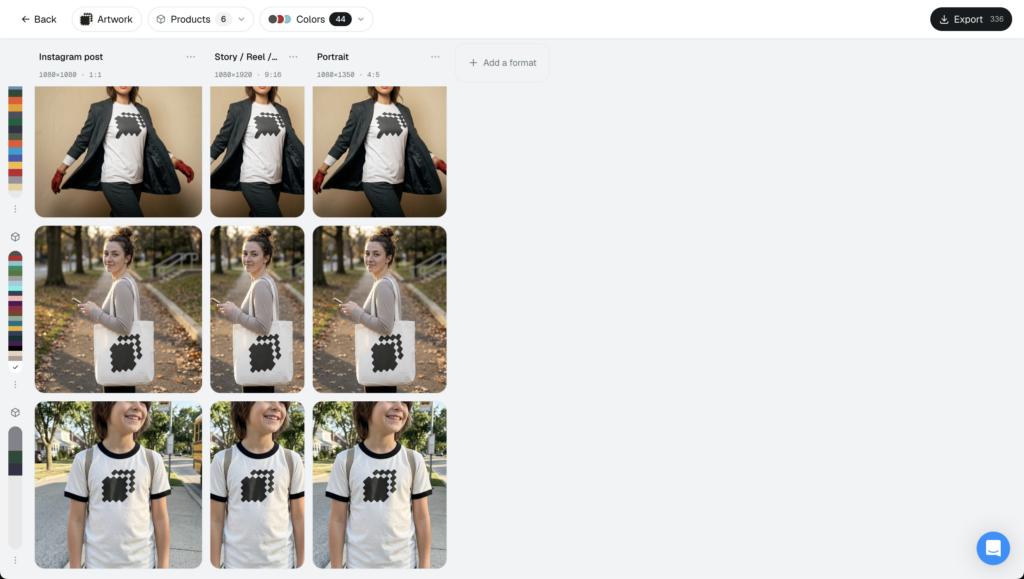
TikTok Shop. These are impulse buyers who check out without leaving the feed. The whole experience is vertical, so build to the 1080 x 1920 (9:16) frame and let the product fill it. If you sell here, TikTok Shop mockups put your design on a real product inside that vertical frame before you ever pick up a camera.
Pinterest. Pinterest shoppers are planners. They save now and buy later, often with real intent behind the save.
Vertical Pins own the feed, and the recommended size is 1000 x 1500 at a 2:3 ratio. Go taller or wider than that and Pinterest may crop you, so Pinterest shopping mockups give you the upright 2:3 shot without a shoot.
YouTube. Review and haul viewers make buying decisions on YouTube more than most sellers admit. The unit that sells here is the thumbnail, and the baseline is 1280 x 720 at 16:9. Your product has to read clearly at the size of a postage stamp.
Notice the pattern: same product, four different frames.
And there is a fresh reason to have all four ready. Meta rebuilt its ad retrieval engine, Andromeda, to process far more ad variations and reward advertisers who feed it more creative.
More correctly sized variants means more chances to get shown. A deep set of native images is now a delivery advantage, not just a tidiness habit.
So the math changed. Ten native variants used to be a nice-to-have, and now the algorithm actively prefers the account that hands it more to test.
The Marketplaces and Storefronts Where Shoppers Check Out
Marketplaces are where intent gets serious. People arrive already wanting to buy, so your image only has to close the gap between interested and confident.
Etsy. Gift buyers and handmade shoppers live here, and they read every photo before they trust a small shop. Etsy raised its limit from 10 to 20 photos per listing in 2025, so you have room for angles, scale shots, and lifestyle scenes. Upload large, around 2000px or more on the longest side, so shoppers can zoom in on the detail.
Amazon. Amazon buyers are search-first and high-intent. They type what they want and scan the grid.
The main image has to sit on a pure white background, and it needs to be big enough that hover-to-zoom switches on, which happens once the longest side clears 1000px. Bigger is better. Amazon product listing mockups give you that clean, zoomable hero shot without a lightbox or a studio.
Shopify (your own store). This is your warmed traffic, the people who clicked through from a Pin, an ad, or a link in bio. Keep product shots square and high-res, something like 2048 x 2048, and keep every color and variant consistent so the gallery looks deliberate.
One product, three very different slots.
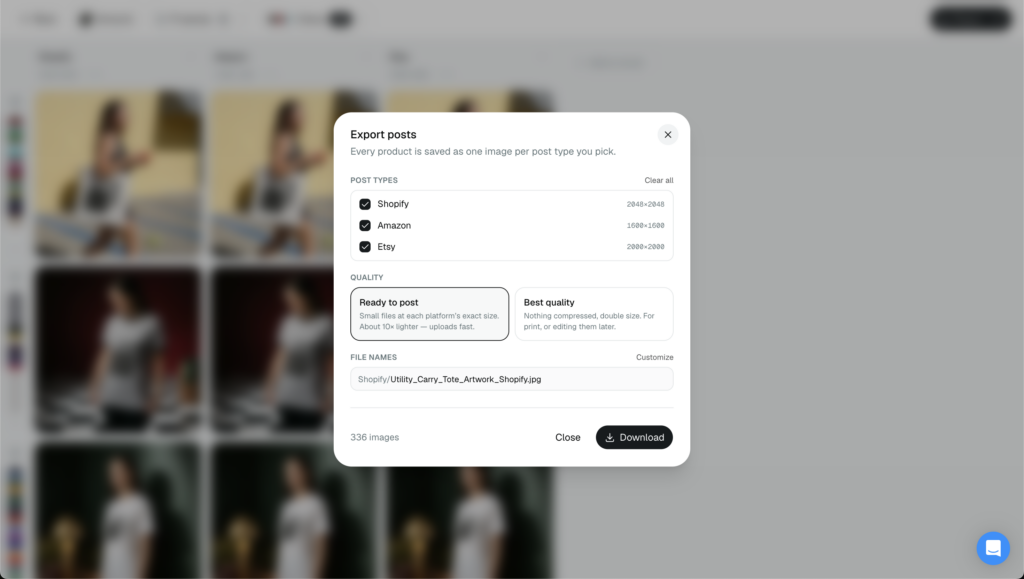
Each slot is also a different buyer mindset. Etsy shoppers want reassurance, Amazon shoppers want proof, and your own store visitors want the polish that justifies the click they already made.
The reason this used to hurt is simple: filling all of them meant shooting, or paying to shoot, the same item again and again.
It does not anymore. A single generated mockup can fill every marketplace listing and every storefront gallery, resized per surface, with no second reshoot.
Why One Product Now Needs Many Correctly Sized Images
Here is the fragmentation problem in one line: the same product needs a dozen correctly sized images, and every platform measures “correct” differently.
Upload the wrong ratio and you pay for it quietly. A square shot gets center-cropped on a vertical feed. A wide image gets letterbox bars on Stories. An undersized file goes soft the moment a marketplace compresses it.
None of that throws an error. It just makes your product look a little off, and feeds tend to bury images that do not fit their frame.
A little off is enough to lose the scroll.
The stakes went up this year. With Meta’s Andromeda favoring accounts that supply more creative, a thin set of one-size images leaves reach on the table while sellers with deep, native variants get fed to more buyers.
Selling on multiple platforms used to mean a separate photo shoot per format, or endless manual resizing in Photoshop. Slow, pricey, and out of date the second you tweak a design.
The practical fix now: render the image once, then resize it for every surface. Cheaper, faster, and easy to redo when your catalog changes.
And it pays off where it counts. Native, correctly sized images look like they belong on the platform, which builds trust and takes the hesitation out of the tap.
There is a brand payoff, too. When one product reads clean on every surface, your shop looks bigger than it is, and returning buyers start to recognize you before they read the name.
If you want the receipts, see how product images impact conversion rates, then tighten the technical side with ecommerce image optimization for sharpness and load speed across devices.
Which Channels Should You Start With?
You do not have to be on all seven the day you launch. Pick the two or three where your buyers already are, nail the images, then expand from there.
Selling handmade or gift items? Start with Etsy and Pinterest. The planner-to-marketplace path is short, and shoppers on both expect plenty of photos before they commit, so a deep image set pays off fast.
Running impulse-friendly, trend-led products? Lead with TikTok Shop and Instagram, then send that traffic to your Shopify store to close the sale on your own turf.
Building a brand you want to own for the long haul? Anchor on Shopify and Amazon first, and treat social as the top of the funnel that feeds them.
Whatever order you choose, add channels one at a time and reuse the same mockup as you bring each new surface online. The image work is already done, so bringing on a new channel is just one more export.
How Dynamic Mockups Turns One Mockup Into Every Format
This is the part we built Dynamic Mockups for. You make the image once, and it comes out sized for everywhere you sell.
Start with one photorealistic mockup. Pick from 100,000+ free mockup templates or use Mock Anything AI to turn any product photo or prompt into a reusable mockup.
Then let Layouts do the resizing. One mockup exports at every social and marketplace size at once: Instagram portrait, TikTok’s vertical frame, the Pinterest 2:3, an Amazon-ready hero, and your Shopify square, all in a single pass.
Here is the workflow start to finish:
- Pick a template that matches your product, or create a new one using Mock Anything from a photo or prompt you already have.
- Drop your design onto it and adjust the fit.
- Choose the channel sizes you need: Instagram, TikTok Shop, Pinterest, YouTube, Etsy, Amazon, Shopify.
- Export them all in minutes, correctly sized and ready to post.
That is one render doing the work of a seven-channel photo shoot.
And when a design sells, you are not starting over. Swap the artwork, keep the template, and every channel size regenerates in the same click. That turns your next drop into an afternoon of work instead of a full reshoot.
If you are deciding where to sell products online in 2026, the answer is more places than ever, so make the image once and let it fit every channel you sell on. Start free, no credit card required.
Showcase your E-commerce products like big brands, without costing a fortune. Sign up today. No credit card required. →
Frequently Asked Questions
Where do most people buy products online in 2026?
Across three kinds of surfaces at once: social feeds (Instagram, TikTok Shop, Pinterest, YouTube), online marketplaces (Etsy, Amazon), and their own store, usually Shopify. That is seven channels one product can sell on. Buyers hop between them, spotting an item in a Reel and buying on Etsy or Shopify days later.
What image size does each social media platform need?
Instagram wants portrait 1080 x 1350, square 1080 x 1080, and Story 1080 x 1920. TikTok Shop is vertical 1080 x 1920 at 9:16. Pinterest prefers a vertical Pin at 1000 x 1500 (2:3). YouTube thumbnails run 1280 x 720 at 16:9. Same product, four different frames, so export all of them.
How many photos can you add to an Etsy listing?
Up to 20 as of 2025, when Etsy raised its limit from 10. That extra room lets you show angles, scale shots, and lifestyle scenes so gift and handmade shoppers can trust a small shop. Upload large, around 2000px or more on the longest side, so buyers can zoom in on the detail.
Do you need different product images for every sales channel?
Yes, because each platform defines the right size differently. Upload the wrong ratio and it costs you quietly: a square shot center-crops on a vertical feed, a wide image gets letterbox bars on Stories, and feeds bury images that do not fit their frame. Native, correctly sized images look like they belong, which builds trust and takes the hesitation out of the tap.
How do you make product images for every platform without a photo shoot?
Render one photorealistic mockup, then export it at every channel size in one pass. Start from a free template or turn any product photo or prompt into a reusable mockup with Mock Anything AI, drop your design on, then let Layouts output the Instagram portrait, TikTok vertical, Pinterest 2:3, Amazon hero, and Shopify square together. One render replaces a seven-channel shoot.
![Poetcore Product Mockups for 2026: The Literary Aesthetic [Guide]](https://dynamicmockups.com/wp-content/uploads/2026/08/poetcore-mockups-2026-aesthetic-cover-768x403.png)